Create Professional Invoices in Seconds
Sign up free, fill in your details, preview in real time, and download a PDF or share a link straight to your client.
No credit card required · 10 free documents to start
11
Currencies supported
2 min
To create an invoice
10
Free documents included
No ads
Clean experience
Everything you need to invoice like a pro
Built for freelancers, consultants, and small businesses who want a fast, professional tool without the bloat.
Invoices, Quotations & Receipts
Create professional invoices, quotations and receipts in seconds. No templates to install, no software to download.
Client Book
ProSave a client once and reuse them on any invoice. See what each one owes you and everything you've ever billed them.
Quotation to Invoice to Receipt
Turn an accepted quotation into an invoice, then a paid invoice into a receipt, in one click each. All details carry over, no retyping.
Shareable Invoice Links
Generate a public link and send it to your client. They view it in the browser no PDF, no login needed.
Products & Services Catalog
ProSave your frequently used items once. Pick from your catalog when filling line items no retyping.
Signature Support
Draw or upload your signature on any invoice, quotation or receipt. Save it once in Settings with Pro and it's added automatically.
Custom Fields
Add GST number, VAT, PO reference, or any field you need. Place them in the header, client section, or footer.
Rename Any Field
ProRelabel 'Bill To', 'Notes', 'Item Description' anything to match your workflow or brand.
Revenue Dashboard
Track all invoices and see your monthly revenue chart. Updates in real time when statuses change.
Take the tour before you sign up
Real screens from the app no mockups, nothing coming soon.
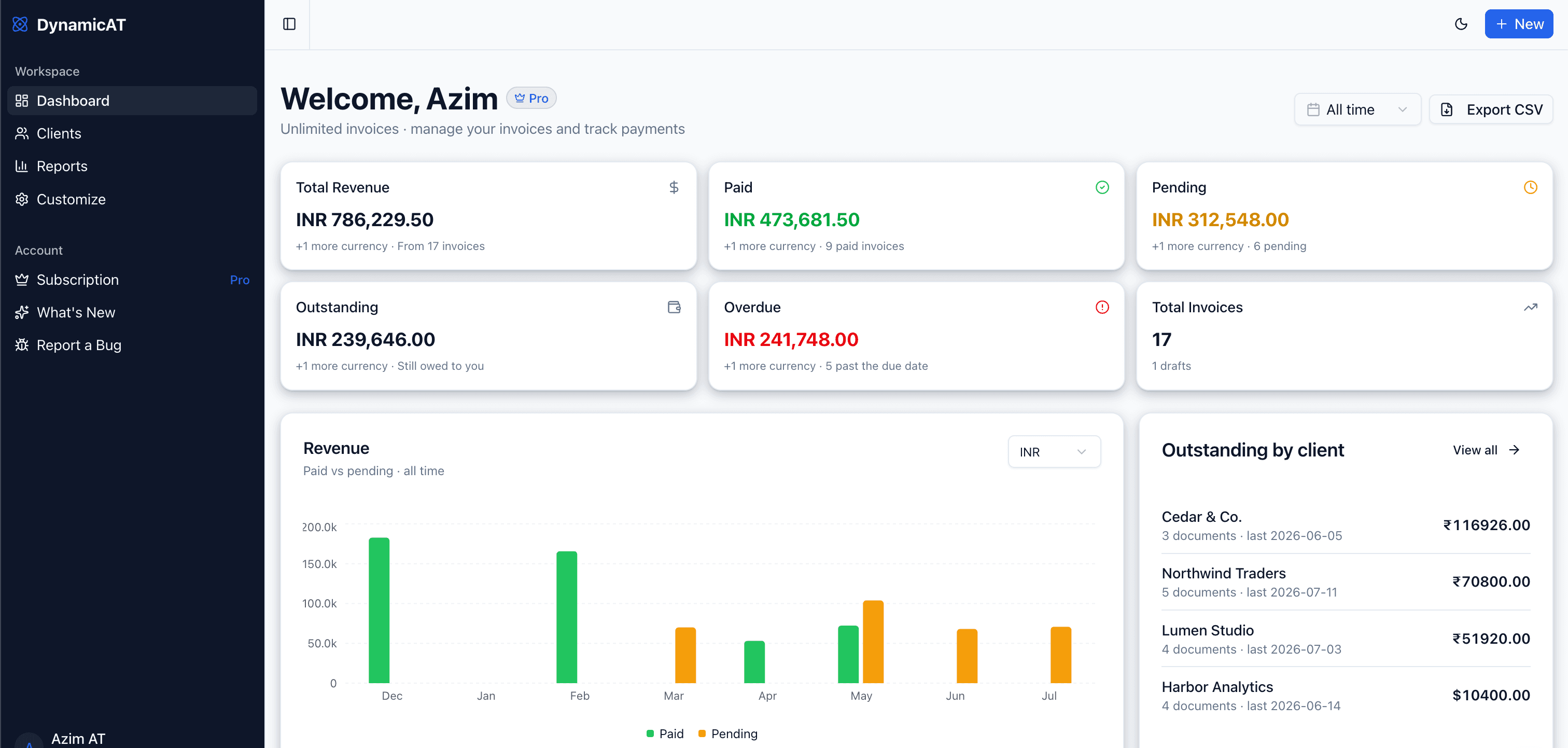
Every invoice and every rupee, on one screen
Open the app and you already know where you stand what you've earned, what's still owed, and what needs chasing.
- Total revenue, paid, and pending at a glance
- Monthly revenue chart comparing paid vs pending
- Search every document by invoice number or client
- Export the whole ledger to CSV whenever you need it
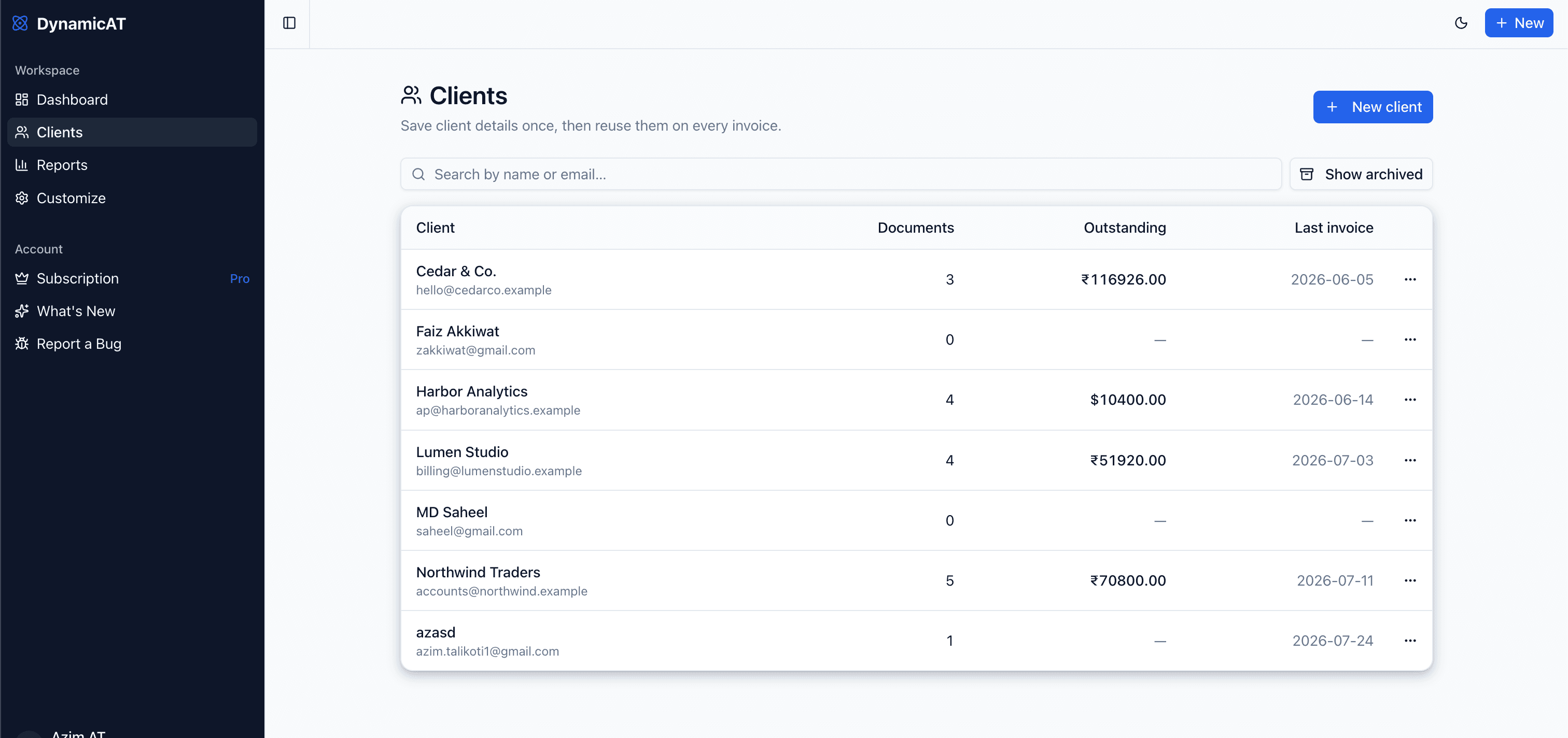
Know exactly who still owes you
Save a client once and reuse them on every invoice. Each one carries their own running balance and full billing history.
- Outstanding balance and last invoice date per client
- Search your whole client book by name or email
- Every document you've ever sent them, in one place
- Archive old clients without deleting their history
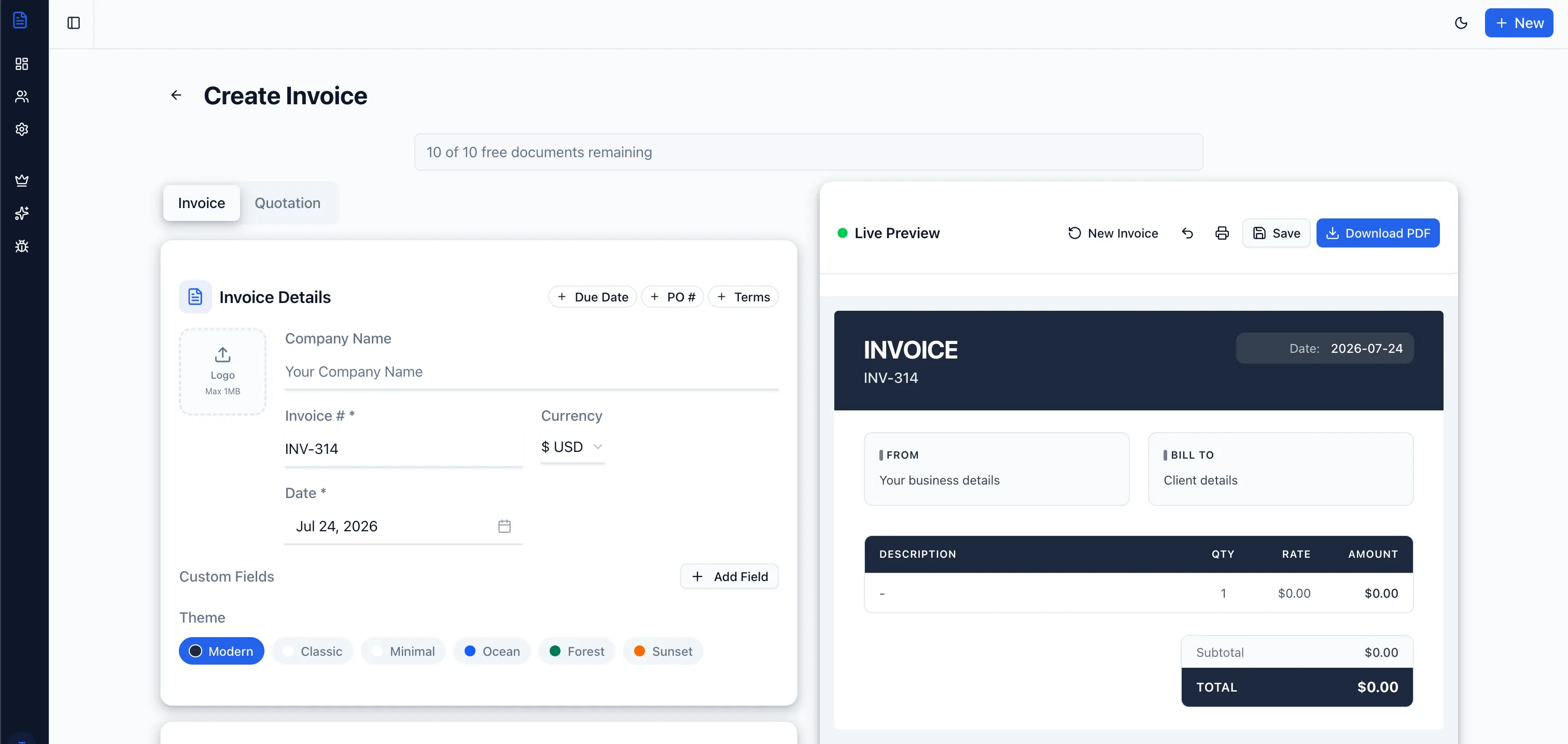
Type on the left, watch the PDF build on the right
No render button, no guessing. The live preview is the finished document when it looks right, download it or share the link.
- Switch between invoice and quotation with one tab
- Six ready themes, plus your logo and any currency
- Add due dates, PO numbers, terms, and custom fields
- Download a PDF or print straight from the preview
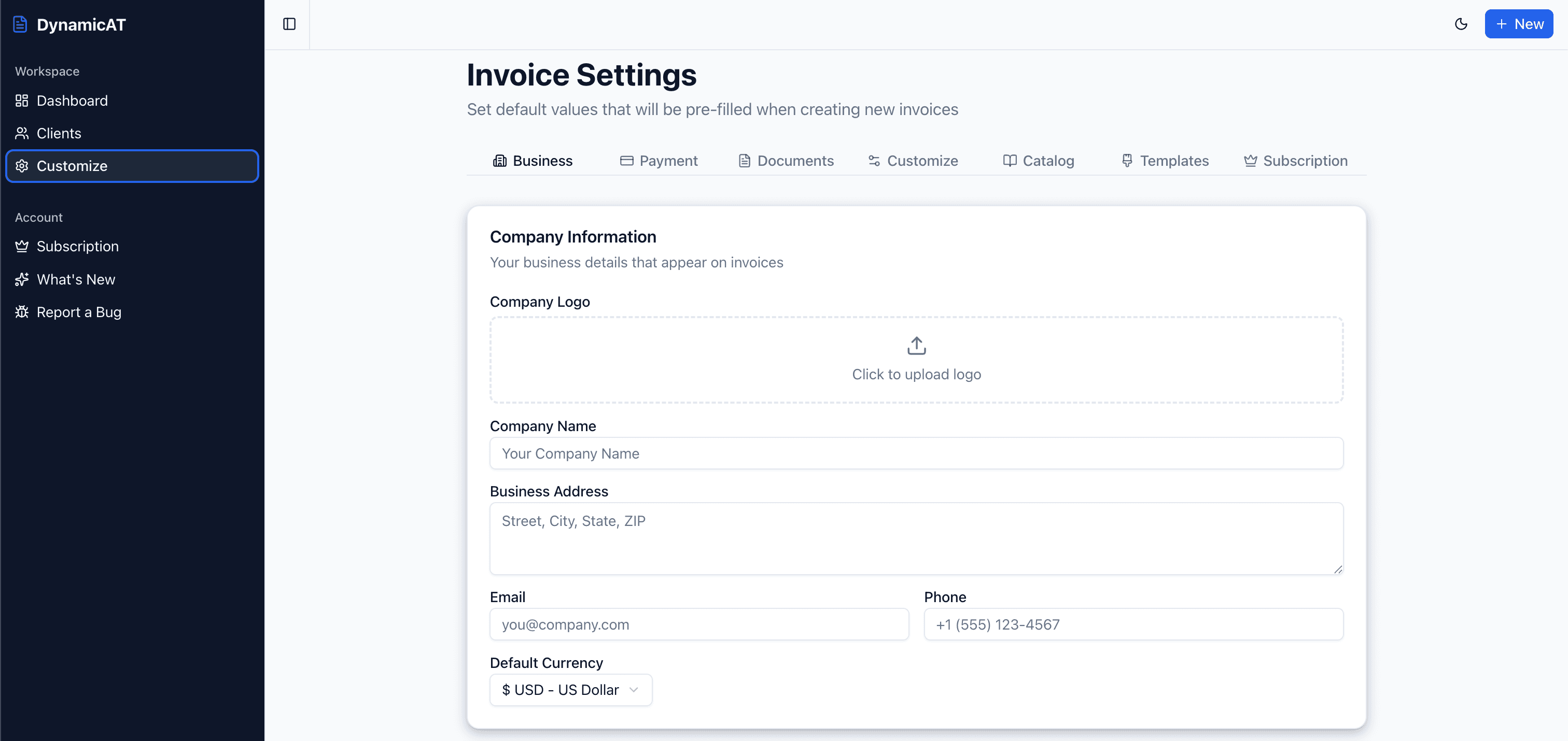
Set your details once, never retype them again
Your company info, payment details, and saved items pre-fill every new document, so a repeat invoice takes seconds.
- Business profile, logo, and default currency
- Bank, UPI, and payment instructions on every invoice
- A catalog of your usual products and services
- Saved templates and your own colour themes
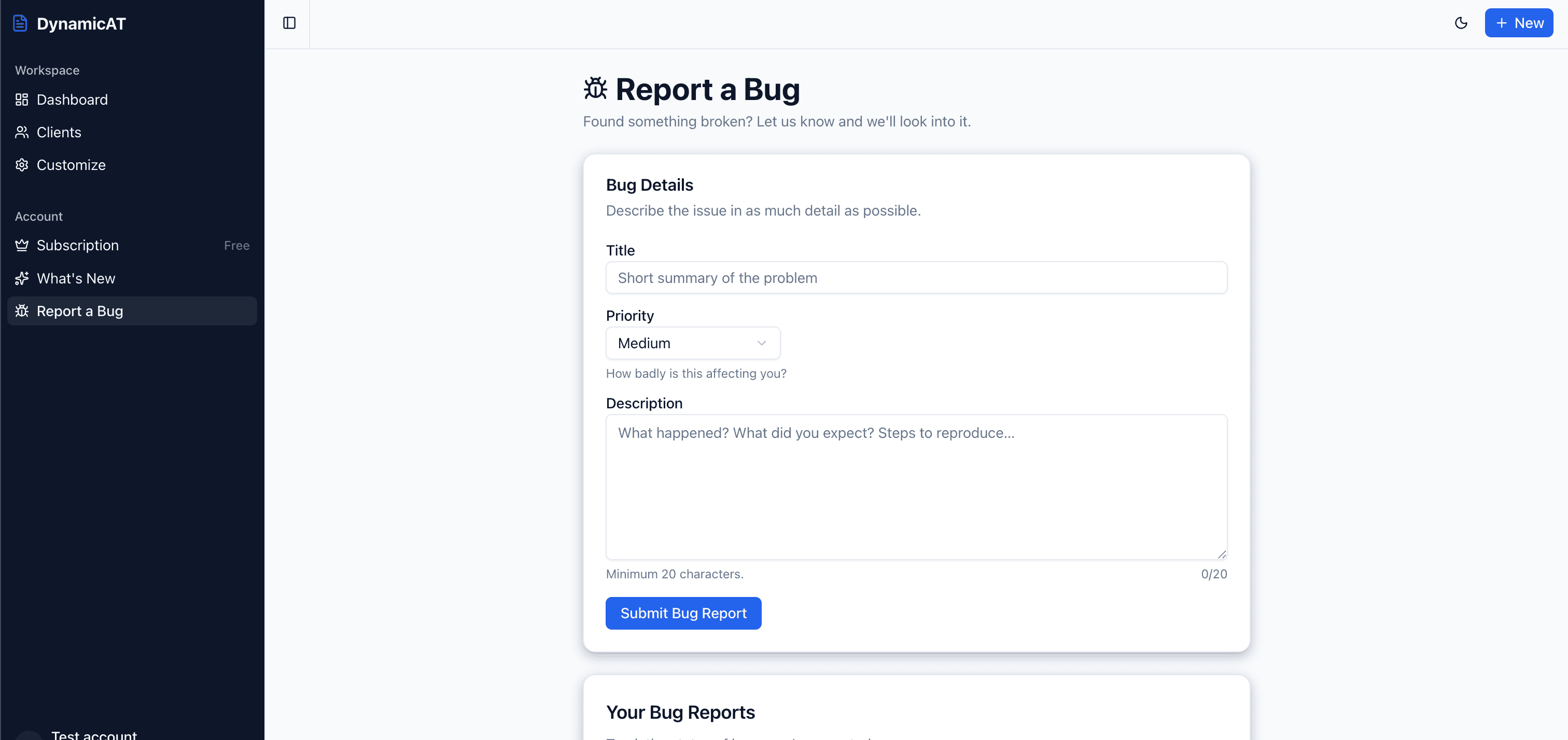
Something broken? Tell us from inside the app
Report a bug in two fields and follow it to resolution. It's a real inbox we read not a form that disappears.
- Report an issue without leaving your workspace
- Set a priority so urgent problems surface first
- Track the status of everything you've reported
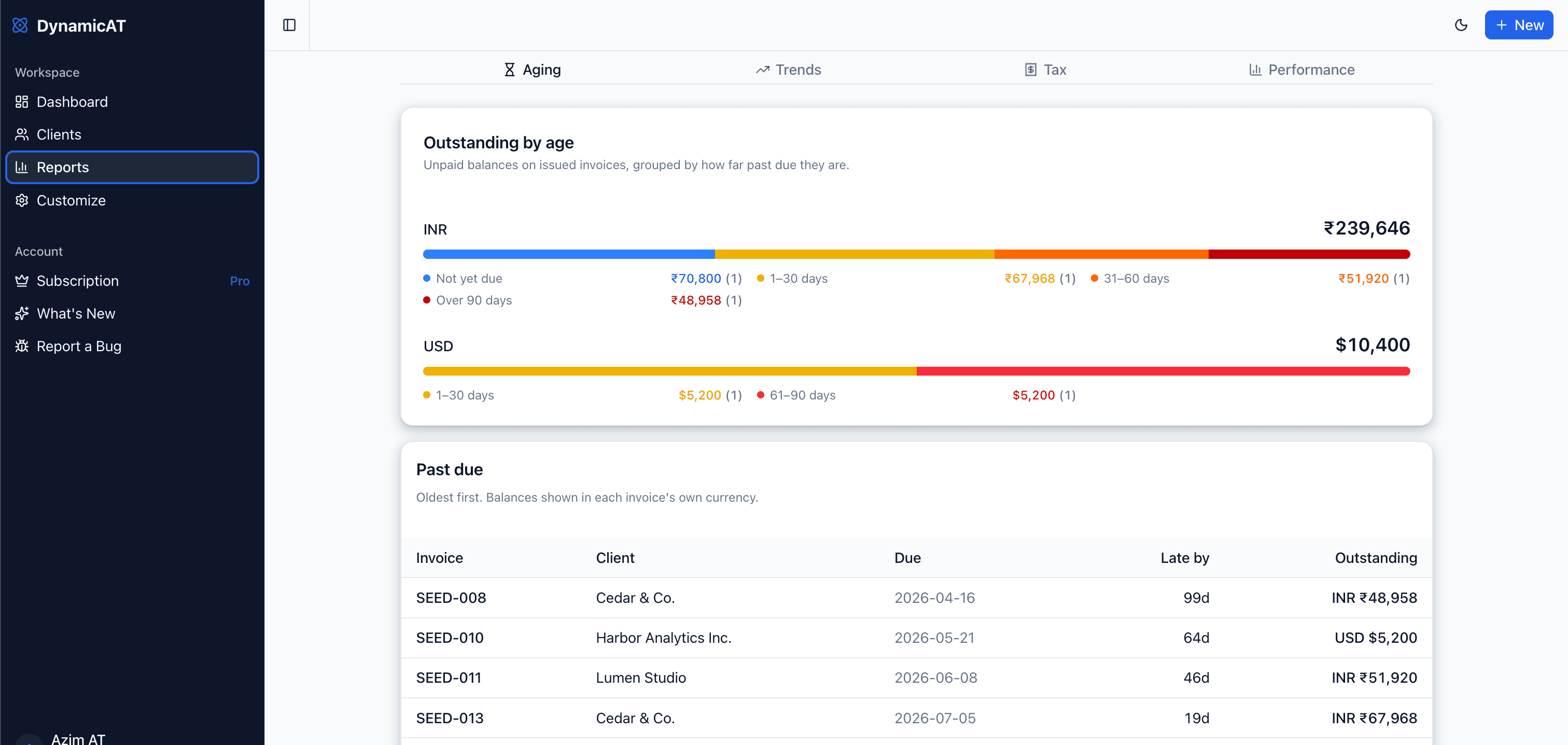
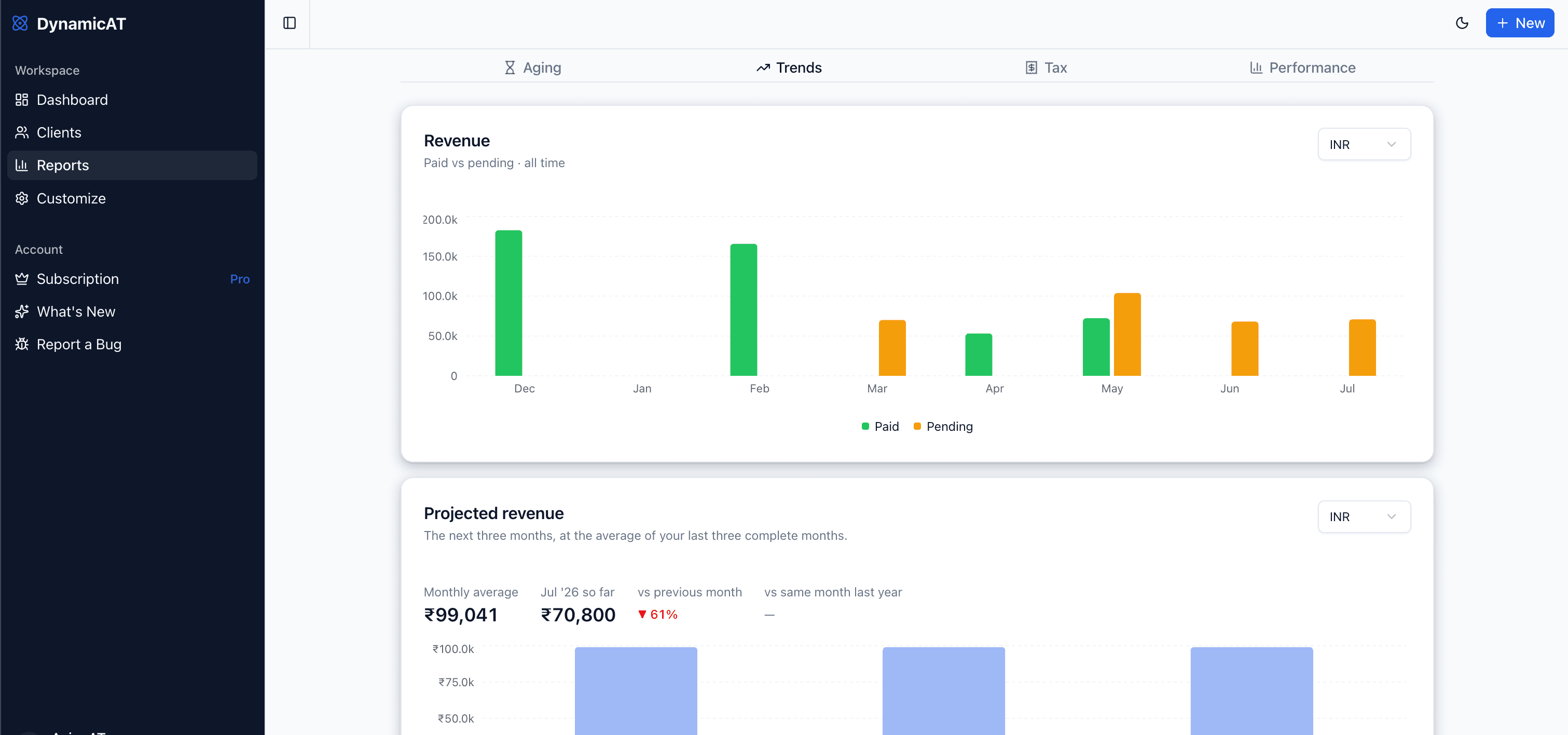
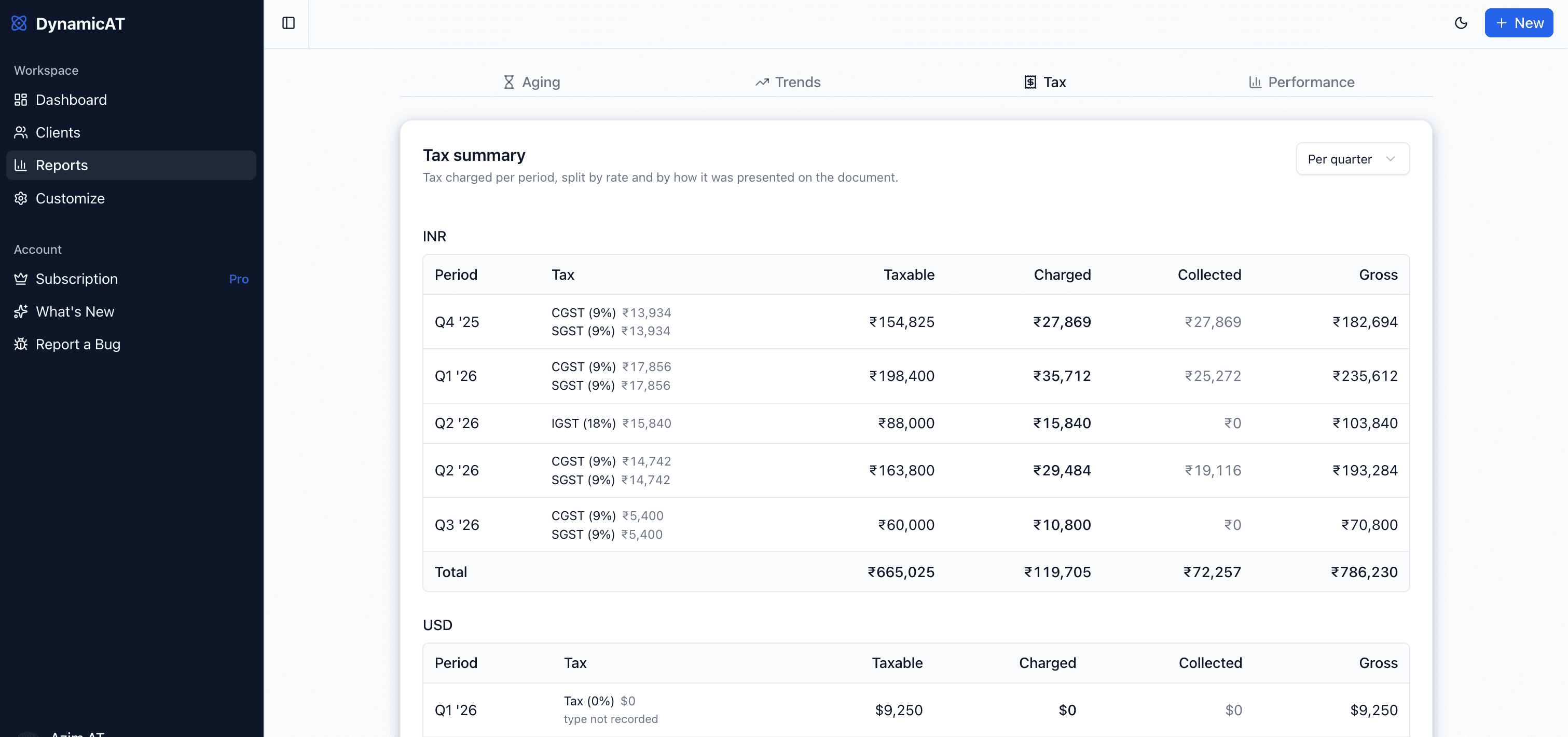
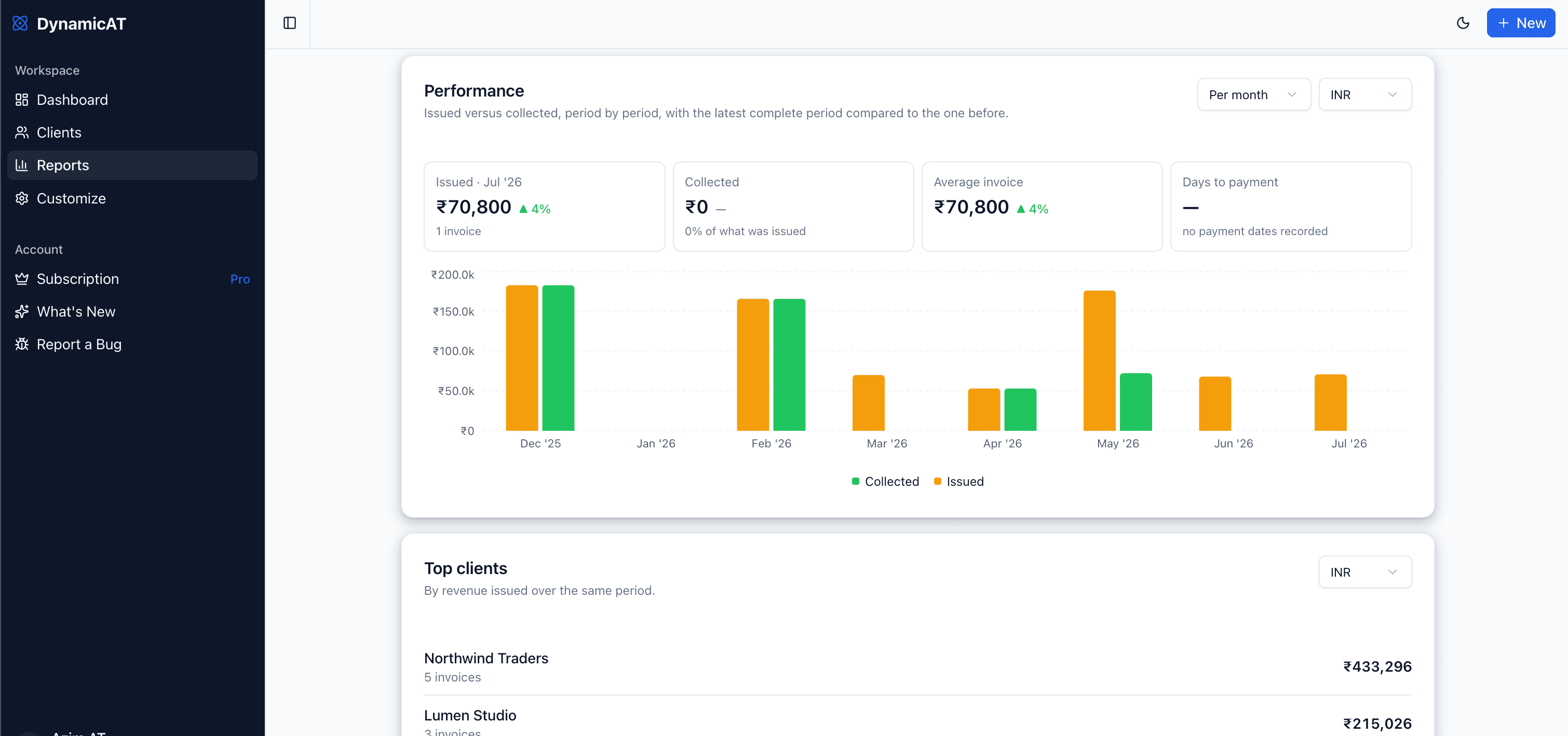
Know your numbers, not just your invoices
Four reports built from the invoices you have already raised. Nothing to set up, nothing to reconcile by hand.
How it works
From blank page to professional invoice in under a minute.
Fill in your details
Add your business info, client details, and line items. Use your saved catalog to fill items instantly.
Preview in real time
See your invoice update live as you type. Adjust layout, currency, and fields until it looks perfect.
Download or share
Download a professional PDF instantly or generate a shareable link to send straight to your client.
Frequently asked questions
Do I need to sign up to create an invoice?
How much does Pro cost?
Can I cancel my Pro subscription?
What currencies are supported?
Can I create quotations as well as invoices?
Can I create receipts?
Can I share an invoice link with my client?
Can I save my frequently used products and services?
Can I save my clients and see what they owe me?
Can I add custom fields like GST or VAT?
Can I add a signature to my invoices?
How do I download my invoice as a PDF?
From the blog
Invoicing guides and tips for freelancers & small businesses
How to Make a Bill Online, With the GST Bill Format Explained
What every bill needs, the extra details a GST bill must carry, and how to make one online and download it as a PDF. Your first 10 bills are free.
Read moreHow to Create an Invoice PDF and Download It for Free
Make an invoice online and download it as a PDF in a few minutes: what to fill in, what to check before you send it, and other ways to get it to your client.
Read moreHow to Create a Receipt for a Payment You've Received
What a payment receipt should include, when to send one, and how to create one in seconds, on its own or from an invoice that has just been paid.
Read more